
The Hypervolt Home 3 Pro is a tethered home EV charger with a choice of cable lengths, app control, surplus-solar charging and automatic load management. Its Type 2 version suits most modern UK electric cars and plug-in hybrids, while a Type 1 option is listed for vehicles with the older inlet.
For households combining an EV, solar panels and battery storage, the important buying questions go beyond charging speed. Correct current sensing, the selected charging mode, internet connectivity and the battery’s own controls all influence how the system behaves.
We at e-zoomed encourage electric car owners to install solar panels and battery storage. It is a win for the household wallet and the environment!
Table of Contents
Sign up to the e-zoomed Electric Living newsletter
Hypervolt Home 3 Pro at a Glance
| Feature | What to know |
|---|---|
| Charging output | Up to 7.4 kW single-phase AC, 32 A maximum; some marketing material rounds this to 7 kW |
| Connection | Tethered cable; Type 2 or Type 1 variants listed |
| Cable length | 5 m standard, with 7.5 m and 10 m options; 10 m listed for Type 2 only |
| Solar controls | Boost, Eco and Super Eco; current support guidance also describes Battery Safe |
| Household load management | Automatic Load Management using a correctly installed primary CT sensor |
| Battery integration | Battery Safe and Home Battery Wizard; compatibility does not mean direct control of the battery inverter |
| Connectivity | 2.4 GHz Wi-Fi, Bluetooth LE and wired Ethernet |
| Dimensions | 328 × 243 × 101 mm (H × W × D) |
| Outdoor ratings | IP66 ingress protection; IK10 impact resistance |
| Colours | Ultra White, Space Grey and Ultra Black |
| Warranty | Three years as standard; optional extension to five years in total, subject to terms |
| UK price | Obtain a current quotation for the chosen cable length, connector and installation |
Hypervolt Home 3 Pro Pros and Cons
| Pros | Cons / considerations |
|---|---|
| Choice of 5 m, 7.5 m and 10 m Type 2 cables can suit different driveway layouts | Tethered format only; choose the connector and cable length carefully before purchase |
| Solar charging, automatic load management and Battery Safe provide useful energy-control options | Correct sensing and commissioning are essential; the charger does not directly control home-battery discharge |
| Ethernet offers a wired alternative to Wi-Fi, alongside IP66 and IK10 enclosure ratings | Single-phase output only; internet loss and an offline restart can affect smart-control behaviour |
Hypervolt Home 3 Pro Design and Cable Options
Choose the connector for your vehicle
The Hypervolt Home 3 Pro has a permanently attached EV cable. The technical specification lists Type 2 and Type 1 versions, with Type 2 the appropriate choice for most current UK EVs. Check the actual inlet on an older car or plug-in hybrid before ordering. A Type 2-equipped UK Tesla can use the Type 2 version without applying adapter advice intended for other markets.
The Type 2 range offers 5 m, 7.5 m and 10 m cables. Type 1 is listed with 5 m and 7.5 m options; the technical sheet limits the 10 m option to Type 2. Confirm the chosen configuration is available from your supplier rather than assuming every colour, length and connector combination is stocked.
Measure the route from the proposed charger position to the car’s inlet, including the distance around the electric vehicle. Consider how a second EV might park and whether the cable would cross a walking route. Avoid selecting an EV cable that reaches only when the car is parked precisely.
Size, weight and appearance
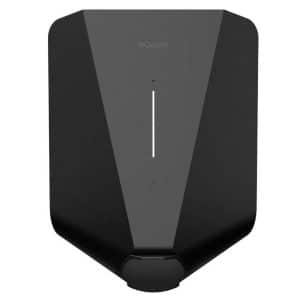
The enclosure measures 328 mm high, 243 mm wide and 101 mm deep. Hypervolt’s product table gives weights of 6.2 kg for the 5 m version, 6.9 kg for 7.5 m and 7.3 kg for 10 m. Ultra White, Space Grey and Ultra Black covers are listed. Status lighting appears around the sides and through the front logo, with brightness controls in the app. Allow space for the cable and holster as well as the wall unit. Pole mounting is also listed, but the post, groundwork and cable route need to be included in the quotation.
Hypervolt Home 3 Pro UK Price and Installation Costs
Request a current quotation for the exact Home 3 Pro configuration. Compare complete installed packages. A basic installation offer may assume a short cable route, suitable existing electrical equipment and straightforward mounting. Longer routes, trenching, consumer-unit alterations, a mounting post or extra data cabling can add cost. Make sure the quotation explains what happens if the survey identifies work outside the advertised package.
| Cost element | What to confirm |
|---|---|
| Charger | Home 3 Pro model, cable length, Type 1 or Type 2, colour, VAT and delivery |
| Electrical work | Supply cable route, mounting, protective devices, testing and commissioning |
| Primary CT sensor | Supplied sensor, placement, communications wiring and verified import/export readings |
| Battery monitoring | Whether CT2 is appropriate, supplied and configured for your battery arrangement |
| Internet connection | Wi-Fi assessment or Ethernet cabling to the charger |
| Additional work | Groundworks, post, electrical alterations or supply-related requirements |
| Aftercare | Installation registration, standard warranty, optional extension and installer workmanship cover |
For an EV charging enquiry, email [email protected] with your electric vehicle model, postcode, parking arrangement and details of any solar panels or home battery.
Hypervolt Charging Speed and Running Costs
Hypervolt’s detailed Home 3 Pro technical specification gives 7.4 kW at 230 V single-phase, with a maximum current of 32 A. Actual speed depends on supply voltage, the installer’s configured current limit, household demand and the vehicle’s onboard AC charger. A car limited to 3.6 kW AC will not accept 7.4 kW simply because the charge point can supply it. Its DC rapid-charging rating is a separate specification.
The Home 3 Pro described here is single-phase. A three-phase supply at the property does not turn it into an 11 kW or 22 kW charger. If faster AC charging is a requirement, discuss a suitable alternative and check that your vehicle can use the additional power.
| Energy delivered | Calculated time at a constant 7.4 kW |
|---|---|
| 20 kWh | 2 hours 42 minutes |
| 40 kWh | 5 hours 24 minutes |
| 60 kWh | 8 hours 6 minutes |
These are calculated energy-delivery times before vehicle charging losses, not measured results. A car with 60 kWh of usable battery capacity needs approximately 36 kWh to move from 20% to 80%. At a constant 7.4 kW this takes around 4 hours 52 minutes before losses and changes in charging power.
Electricity costs and standby consumption
As an illustration, 20 kWh drawn from the grid costs £2 at 10p/kWh, £5 at 25p/kWh or £7 at 35p/kWh. These assumed rates are not current tariff offers and exclude standing charges and other fees. Charging losses mean the energy drawn from the supply generally exceeds the energy added to the battery.
Compare tariffs using the whole home’s consumption, standing charge and daytime rates. Surplus solar electricity may also have an export value, so using it for the electric car is not automatically the lowest-cost option compared with exporting and charging during a cheaper import period.
Hypervolt App, Scheduling and Access Control
The Hypervolt app provides charging controls, schedules, session information and LED settings. Bluetooth is used during the documented installer adoption process; internet access is provided through Wi-Fi or Ethernet. Bluetooth should not be confused with remote access from outside the home.
Multi Mode Scheduling lets you assign different modes to separate periods. For example, a daytime Super Eco session can be followed by an overnight Boost session. Set the days, start and stop times, and mode, then check that Schedule Charge is selected. A schedule defines when charging is permitted; the chosen mode still affects whether energy is delivered.
Coordinate the car’s timers, charger schedule and any supplier-managed service. If two systems are both waiting for different conditions, the car may not receive the expected charge. Ask the installer to demonstrate a normal session and the procedure for an immediate top-up before handover.
What the charger lock does
Hypervolt’s app lock prevents charging when enabled. It is a software access control, not a physical cable lock or holster lock, and it overrides charging modes and schedules. Check that any lock command has completed: an offline unit cannot apply a new app command in real time.
Boost, Eco, Super Eco and Battery Safe Explained
| Mode | Purpose | Important consideration |
|---|---|---|
| Boost | Delivers the maximum available charging power when charging is activated | Can use grid electricity and home-battery energy as well as solar |
| Eco | Uses available generation while maintaining roughly 1.4 kW minimum charging | Grid electricity can supplement limited generation |
| Super Eco | Charges from available solar and home-battery energy, using surplus detection | Needs around 1.4 kW surplus to start; it does not itself prevent battery discharge |
| Battery Safe | Adds protection against unwanted home-battery drain to surplus charging | Current guidance gives an approximately 1.9 kW starting threshold; complete the battery setup |
Hypervolt Solar Charging and CT Measurement
Home 3 Pro can charge from the grid without solar panels. With solar installed, its primary CT sensor measures net power at the property connection so the charger can respond to export. Household consumption comes before the available surplus: a 4 kW solar array does not necessarily provide 4 kW for the e-car.
The installation guide requires a primary CT at the service origin to measure the main load and identify solar export. Its position and direction matter. Have the installer demonstrate that the reading captures the relevant property demand and shows import and export correctly. Solar panels alone do not give the charger that measurement information.
Surplus can fall rapidly when clouds pass or appliances turn on. Waiting or pausing during surplus charging is therefore normal. Select a scheduled grid-charging period if you also need a dependable overnight top-up, and check that the resulting energy is sufficient for your next journey.
App energy diagrams should be read with the sensing arrangement in mind. Hypervolt explains that some household and generation figures are inferred from net grid measurements and charger consumption rather than independently measuring every circuit. Ask which values are measured and which are calculated in your particular setup.
Hypervolt with Home Battery Storage
Compatibility is different from direct battery control
A home battery may treat EV charging as another household load and discharge to support it. Hypervolt’s support guidance explains that the charger does not directly command the battery inverter’s charging or discharging. Preserving stored energy can therefore require coordinated inverter settings as well as the charger’s battery-protection mode.
Where supported, inverter scheduling or an installer-designed change to the battery’s sensing arrangement may help prevent discharge during EV charging. Such changes affect how the wider energy system measures demand and should be assessed by the battery installer. Agree whether the priority is the electric car, evening household use or export, and test that behaviour after commissioning.
Home Battery Wizard and CT2
Use the Home Battery Wizard to declare that a battery is present and configure the installation type. Hypervolt says it cannot automatically detect the battery. The Home 3 Pro supports a second CT for additional monitoring of an AC-coupled battery; confirm whether it is needed for the energy information you want.
The setup guidance specifically says CT2 is not necessary for Battery Safe itself. A second sensor enhances monitoring rather than giving the charger direct control of the battery. A hybrid inverter sharing solar and battery conversion also needs careful interpretation: measuring its combined AC output does not separately identify every internal energy flow.
Check supplier-managed charging behaviour
Hypervolt supports an Intelligent Octopus Go connection, with enrolment described by both Hypervolt and Octopus. Confirm current eligibility, account requirements and device compatibility with the supplier before changing tariff. A normal timed off-peak schedule and a supplier-controlled service are different arrangements.
Hypervolt’s says managed charging windows use Boost, with Eco, Super Eco and Battery Safe unavailable during those windows. Outside them, the unit returns to Super Eco or Battery Safe according to the Home Battery Wizard settings. Battery owners should therefore check their inverter’s overnight discharge controls rather than assuming Battery Safe protects stored energy during every supplier-managed session.
Load Management, Connectivity and Offline Behaviour
Automatic load management
Automatic Load Management monitors demand through the primary CT and reduces the EV charging current when household consumption approaches the configured limit. This differs from a fixed maximum-current setting, which caps charging but does not itself track changing demand.
The electrician should verify the property’s supply capacity and configure the appropriate limits during commissioning. Frequent reductions can be a sign that available capacity is constrained. Load management does not replace correctly selected circuit protection or justify assuming a higher supply capacity than the property actually has.
Wi-Fi or Ethernet?
Home 3 Pro supports 2.4 GHz Wi-Fi and has an internal RJ45 Ethernet connection. The installation guide recommends wired internet where practical for reliability. Discuss the data-cable route before installation; the Ethernet connector is inside the enclosure and should be dealt with by the installer.
A stable connection supports remote control, software updates and connected services. Check Wi-Fi at the actual mounting position rather than relying on indoor signal strength. The product overview lists over-the-air updates; ask the installer to confirm the charger is online and properly linked to your account.
Important distinction: offline operation and an offline restart
Hypervolt’s offline guidance says existing in-memory settings can continue after the connection drops, including a stored schedule, Super Eco mode or a locked state. New app changes cannot take effect while the charger is disconnected from its servers.
The same guidance says a power cycle while offline returns the charger to Boost, Plug and Charge and Unlocked. This matters if you rely on solar-only charging or access restrictions. After an offline restart, check the actual state and restore the intended settings once connected. Do not assume the pre-existing schedule or lock remains effective after every restart.
Hypervolt Installation, Safety and Warranty
Built-in protection does not replace the complete electrical design
The Home 3 Pro lists integrated PEN-fault protection and internal 6 mA DC residual-current protection. It also explicitly requires external AC protection. The installation guide calls for individual double-pole protection, at least Type A, and says Type AC RCDs must not be used.
Have a qualified electrician assess the supply, earthing, circuit protection, surge protection, mounting and cable route against current requirements and the exact installation instructions. Integrated PEN protection should not be turned into a blanket promise that every site needs identical earthing arrangements or no additional electrical work.
IP66 ingress protection and IK10 impact resistance support outdoor use when the unit is correctly installed and sealed. They do not mean the charger can be submerged or installed without regard to the mounting guidance. The stated operating temperature is −25°C to +40°C; internal thermal protection can reduce output when necessary.
Register the installation promptly
Hypervolt’s installation guide requires online registration of the completed installation within 48 hours and instructs the installer to do this before leaving the site to validate the warranty. Request confirmation at handover. Keep the invoice, installation date, serial number, electrical documents and account details, and retain the identification sticker on the unit.
Three-year warranty and optional extension
The published limited warranty provides three years from installation by a qualified electrical contractor. A further 24 months can extend cover to five years in total. Hypervolt’s page refers to checkout purchase and a 30-day post-installation window; confirm the purchase deadline and price before ordering rather than leaving it until the original warranty expires.
The warranty covers defects in materials and workmanship for the original purchaser and is stated to be non-transferable. Its exclusions include removal and reinstallation costs, installation-specific setup or programming, and damage caused by third parties. Read the full terms and establish what separate workmanship and call-out support the installer provides.
Hypervolt Home 3 Pro Technical Specifications
| Specification | Published UK details |
|---|---|
| Charging type | Mode 3 AC; single-phase |
| Maximum output | 7.4 kW in the detailed technical specification; marketing also uses 7 kW |
| Supply / current | 230 V AC; 50 Hz; maximum 32 A |
| Connector | Tethered Type 2 or Type 1 variant |
| Cable lengths | 5 m and 7.5 m; 10 m for Type 2 only |
| Dimensions | 328 × 243 × 101 mm (H × W × D) |
| Weight by cable length | 6.2 kg (5 m); 6.9 kg (7.5 m); 7.3 kg (10 m) |
| Mounting | Wall or pole; installation-specific hardware required |
| Colours | Ultra White, Space Grey, Ultra Black |
| Connectivity | Wi-Fi 802.11 b/g/n at 2.4 GHz; Bluetooth LE 4.2; Ethernet |
| Load management | Automatic Load Management via primary CT sensing |
| Battery monitoring | Second CT supported for appropriate battery installations |
| Standby consumption | 4.2 W at lowest LED brightness; 8.4 W at maximum |
| PEN protection | Integrated, as specified for the Home 3 Pro |
| Residual-current protection | Internal 6 mA DC; external AC protection required |
| Ingress / impact ratings | IP66 / IK10 |
| Operating temperature | −25°C to +40°C |
| Operating humidity / altitude | Up to 95% RH, non-condensing; maximum 2,000 m |
| User interface | Hypervolt app and multicolour LED status lighting |
Hypervolt Home 3 Pro Frequently Asked Questions
| Question | Answer |
|---|---|
| Is Home 3 Pro tethered or untethered? | Tethered: the cable is permanently attached. Choose the required connector and length before purchase |
| Is it 7 kW or 7.4 kW? | The detailed technical specification gives 7.4 kW, while marketing rounds this to 7 kW. Actual output varies |
| Does it provide 22 kW charging? | No. The Home 3 Pro described here is single-phase, with a maximum 32 A output |
| Can I order a 10 m cable? | Yes, a 10 m Type 2 option is listed. The technical sheet does not list 10 m for Type 1 |
| Does it need solar panels? | No. It can charge from the grid; correct primary CT sensing is needed for its solar controls |
| Does Super Eco prevent home-battery discharge? | Not by itself. Use the battery setup guidance and suitable battery-protection controls |
| Is CT2 mandatory for Battery Safe? | No. Hypervolt’s battery setup guidance says Battery Safe does not require the second CT |
| Does it have Ethernet? | Yes. Have the installer plan and fit the wired network connection if required |
| Can it stop at 80% battery charge? | The manufacturer FAQ says the charger does not read the car’s battery percentage to enforce this. Use the vehicle’s own charge-limit setting where available |
| Does it support V2H? | No. Hypervolt explicitly says Home 3 Pro does not support vehicle-to-home (V2H) charging. |
| Is the standard warranty five years? | No. Standard cover is three years, with an optional two-year extension under the applicable terms. |
| What happens after restarting while offline? | Current support guidance says it defaults to Boost, Plug and Charge and Unlocked. Recheck the settings once online. |
e-zoomed Verdict: Who Should Consider Hypervolt Home 3 Pro?
The Home 3 Pro is worth considering for households seeking tethered single-phase charging, especially where a longer EV cable or Ethernet connection is useful. Its solar controls and automatic load management can help it fit within a wider home-energy system.
The most important decisions are practical: choose a cable length that reaches comfortably, agree the sensing arrangement and confirm how the car, home battery and energy supplier will share control. Battery Safe is useful to understand, but it does not replace the battery inverter’s own configuration or apply automatically in every managed charging window.
Compare the complete installation and aftercare package, including prompt registration and any warranty extension. Owners who need a removable cable, faster three-phase AC charging or vehicle-to-home (V2H) capability should account for those requirements when considering alternatives.
While e-zoomed uses reasonable efforts to provide accurate and up-to-date information, some of the information provided is gathered from third parties and has not been independently verified by e-zoomed. While the information from the third party sources is believed to be reliable, no warranty, express or implied, is made by e-zoomed regarding the accuracy, adequacy, completeness, legality, reliability or usefulness of any information. This disclaimer applies to both isolated and aggregate uses of this information.
Featured Articles
<!–
Carousel
–>
What Is Home Battery Storage? Benefits and How It Works
The Hypervolt Home 3 Pro is a tethered home EV charger with a choice of cable lengths, app control, surplus-solar charging and automatic load management. Its Type 2 version…
What Is EV Smart Charging? A Complete Guide to Home Charging and Cost Savings
The Hypervolt Home 3 Pro is a tethered home EV charger with a choice of cable lengths, app control, surplus-solar charging and automatic load management. Its Type 2 version…

What Is Vehicle-to-Home (V2H) Charging? Powering Your House With Your EV
The Hypervolt Home 3 Pro is a tethered home EV charger with a choice of cable lengths, app control, surplus-solar charging and automatic load management. Its Type 2 version…

What Is Vehicle-to-Load (V2L) Technology? Powering Appliances With Your EV
The Hypervolt Home 3 Pro is a tethered home EV charger with a choice of cable lengths, app control, surplus-solar charging and automatic load management. Its Type 2 version…
What Is Vehicle-to-Grid (V2G) Technology? How Your EV Can Earn You Money
The Hypervolt Home 3 Pro is a tethered home EV charger with a choice of cable lengths, app control, surplus-solar charging and automatic load management. Its Type 2 version…
Featured Products
-
<!–
–>Sale!
Custom-Made Single-Phase EV Charging Cable Type 2 to Type 2 (2m to 50m, 7.4 kW, 32 amp, Black)
<!– –>
Price range: £99.95 through £670.95 (Including VAT)
<!–
–>
<!– Term:
NEDC range:
Model Year:
Deposit: £
Miles Per AnnumSubject to status and conditions –>
Category:CablesType:Type 2Length (m):5 m7.5 m10 m3.5 m12.5 m15 m20 m17.5 m2 m22.5 m25 m30 m35 m40 m45 m50 mCurrent (amp):32 ampPhase:Single Phase (7.2kW)<!– –>
This product has multiple variants. The options may be chosen on the product page -
<!–
–>Sale!
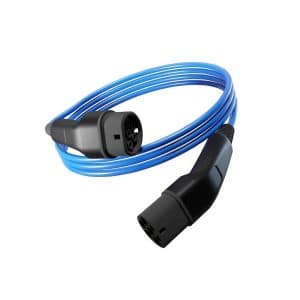
Custom-Made Single-Phase EV Charging Cable Type 2 to Type 2 (2m to 50m, 7.4 kW, 32 amp, Blue)
<!– –>
Price range: £99.95 through £670.95 (Including VAT)
<!–
–>
<!– Term:
NEDC range:
Model Year:
Deposit: £
Miles Per AnnumSubject to status and conditions –>
Category:CablesType:Type 2Length (m):5 m7.5 m10 m3.5 m12.5 m15 m20 m17.5 m2 m22.5 m25 m30 m35 m40 m45 m50 mCurrent (amp):32 ampPhase:Single Phase (7.2kW)<!– –>
This product has multiple variants. The options may be chosen on the product page -
<!–
–>Sale!
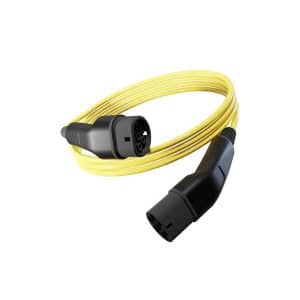
Custom-Made Single-Phase EV Charging Cable Type 2 to Type 2 (2m to 50m, 7.4 kW, 32 amp, Yellow)
<!– –>
Price range: £99.95 through £670.95 (Including VAT)
<!–
–>
<!– Term:
NEDC range:
Model Year:
Deposit: £
Miles Per AnnumSubject to status and conditions –>
Category:CablesType:Type 2Length (m):5 m7.5 m10 m3.5 m12.5 m15 m20 m17.5 m2 m22.5 m25 m30 m35 m40 m45 m50 mCurrent (amp):32 ampPhase:Single Phase (7.2kW)<!– –>
This product has multiple variants. The options may be chosen on the product page -
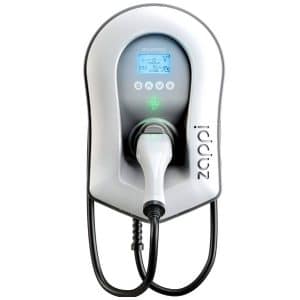
Tethered myenergi eco-smart zappi Home Smart EV Charger (7kW, 6.5m): price includes product only
<!– –>
£810.95 (Including VAT)
<!–
–>
<!– Term:
NEDC range:
Model Year:
Deposit: £
Miles Per AnnumSubject to status and conditions –>
Brand:zappi EV Charge PointCategory:EV Charging PointsCustomer type:ResidentialPower:7 kWType:Type 2Cable:TetheredPhase:Single Phase<!– –>
-
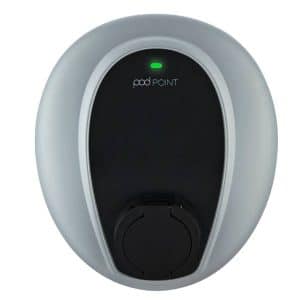
Untethered pod POINT Solo 3 Home Smart EV Charger (7kW): price includes product only
<!– –>
£750.95 (Including VAT)
<!–
–>
<!– Term:
NEDC range:
Model Year:
Deposit: £
Miles Per AnnumSubject to status and conditions –>
Brand:pod POINT EV Charge PointCategory:EV Charging PointsCustomer type:ResidentialPower:7 kWType:Type 1Type 2Cable:UntetheredPhase:Single Phase<!– –>
-
Untethered Easee Charge Commercial Smart EV Charger (22 kW): price includes product only
<!– –>
£945.95 (Including VAT)
<!–
–>
<!– Term:
NEDC range:
Model Year:
Deposit: £
Miles Per AnnumSubject to status and conditions –>
Brand:easeeCategory:EV Charging PointsCustomer type:BusinessPower:22 kWType:Type 2Cable:UntetheredPhase:Three Phase<!– –>
This product has multiple variants. The options may be chosen on the product page
The post Hypervolt Home 3 Pro EV Charger: UK Price, Specifications & Solar Charging Guide appeared first on Ezoomed.